
Locate a missing collectible in either Lost tab and retain the original Key long enough to obtain the Scythe.
STORAGE HUNTERS: OPEN WORLD / ROBLOX
Make your next storage run count.
A better haul starts with the next decision. Know what to keep, what to process and when to sell.
Choose your next move Looking for a Lost Item? →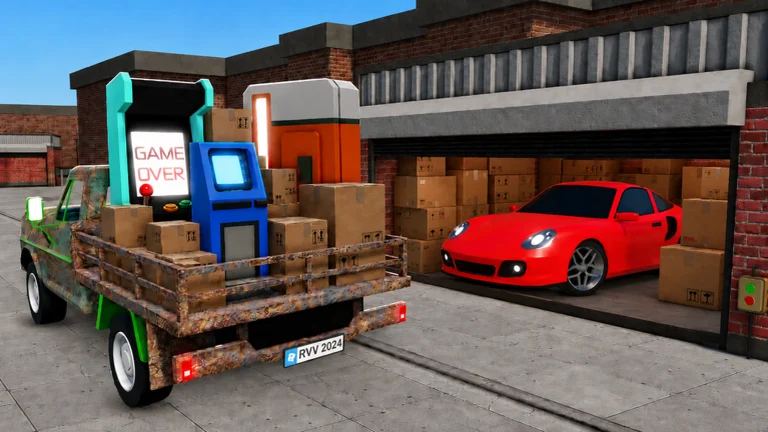
Keep, process, or sell?
Before clearing your haul, separate items you still need from stock ready to sell. A low price does not mean an item has no use: the Lost Key opens the warehouse containing the Scythe. Keep that Key until the door is open. Keep an item needed by your active quest or an accessory you intend to equip. For the rest, choose the branch that matches its state.
Your next move
Key, quest item or useful accessory → retain it before bulk selling. Dirty item → consider Cleaning at the mall; it removes Dirty, but travel and waiting still cost time. Broken item → use Repair before treating the listed price as realizable. Safe → take it to the Locksmith to see what is inside. Ordinary sale stock → unload at your plot, place it in a display slot and compare the customer offer before accepting. Unknown grade → remember that Grading can decrease as well as increase value.
01 / CHECK YOUR HAUL
What are you holding?
Choose its state and the part of your run that is stuck.
Choose what you have to see its next step.
Official event windows: Autumn and Halloween
Roblox's public event records checked 19 October list the Autumn Event ending 17 October at 19:00 UTC and the Halloween Event running from 17 October 19:45 UTC through 31 October 19:00 UTC. The Halloween start time was revised after our earlier check. These are published event times, not a check of in-game activity; the short public descriptions do not identify activities, codes, items, rewards or routes. Confirm current details on Roblox or in game before planning.
Halloween Part 2 and Finale: revised official windows
Roblox's public event record checked 25 October now lists Halloween Part 2 from 24 October 19:30 UTC through 1 November 20:00 UTC, replacing its earlier 7 November end date. Its short description mentions a maze and feeding the witches' cauldron for prizes, but gives no maze route, ingredient list or reward details. The listed start has passed; we have not checked availability inside the game. The original Halloween Event still ends 31 October at 19:00 UTC. Roblox separately lists The Halloween Finale for 31 October 20:00 UTC through 1 November 20:00 UTC with a brief trick-or-treat preview. Check the separate official event listings and current game UI before planning; these dates and teasers are not verified gameplay steps.
Where to get Halloween Candy first
An October 18 community guide reports that the Witch at the Halloween town entrance gives you a trick-or-treat bag. During in-game night, from 7 PM to 6 AM, try knocking on houses with outside lights on; a door can give Candy, a drink or a trick, so Candy is not guaranteed. The guide also reports Headless Horseman quests and zombie turn-ins as Candy routes. It lists Halloween Garage 1–4 entry fees of 10, 20, 30 and 40 Candy respectively. Those are entry costs, not a guaranteed auction win or item; check the current in-game labels before spending. We have not playtested these steps.
Fix the part of the run that is stuck
Still carrying stock from the last win? Clear space and sell before paying for another locker. Vehicle full while good items remain? Check Vehicle Weight and consider cargo capacity. Shop shelves stay full? Look at shelf access, available selling slots and offer handling before buying more loot. Cash is nearly gone? Return to affordable auctions or collect reachable Lost Items; an unlocked area is not a reason to spend the entire balance. These are decisions from the game loop, not measured profit promises.
One clean loop, from auction to shop
Go to an available storage unit and inspect after paying its entry fee. Set a spending limit before bidding. The beginner walkthrough describes a moving marker: a bid must land in the highlighted green zone. After a win, collect the haul into your vehicle, return to your plot, unload and display the sale stock. Accept an offer only after comparing it with what you paid and what else the item can do. Reinvest when the completed run shows a specific constraint.
- 01 Inspect & bid
- 02 Load & haul
- 03 Display & sell
- 04 Improve one limit
An offer is not the same as profit
Illustrative budget, not a game price: you paid $100 for a locker and $10 in other costs. Selling all its contents for $130 leaves $20 after those costs. An unsold item shown as worth $200 has not yet earned that $200. Count an entry fee once, keep the calculation on a whole-haul basis, and leave room for items that sell below the number shown. The detailed bid guide explains how to set a ceiling before a win.
$130Actual proceeds−$110Whole-run cost=$20After costs
Follow the next player task
Find a specific collectible in Lost Items; understand appraisal in Item Values; learn bid timing and cost discipline in Auction Strategy; identify value effects in Mutations; compare hauling choices in Vehicles; find services in Map & Locations; choose spending priorities in Upgrades; improve repeated runs in Money Guide.
Before you start another run
Should I sell the Key? Use it for the Scythe door first. Is a rare-looking locker guaranteed profit? No: acquisition cost and the actual sale still matter. Should every item be graded? Grading can lower value, so do not treat it as a guaranteed upgrade. Is this an official site? No. This is an independent guide to the Roblox experience by Absolute Zero!.
Sources & update boundaries
Core game-loop research checked 17 September 2026. Roblox's Autumn and original Halloween event records were checked 19 October; the revised Halloween Part 2 and new Finale listings were checked 25 October 2026. Official event descriptions are limited previews, not playtests or full gameplay instructions. Halloween Candy methods and garage fees below are attributed to an October 18 community guide, not our own playtest.
- Roblox — Storage Hunters: Open World by Absolute Zero! Checked September 17, 2026
- Radex Tips — Beginner guide July 1, 2026
- IGN — All 29 Lost Items walkthrough July 16, 2026
- All Things How — Auction and selling methods July 2026 guide
- All Things How — Net worth progression July 6,2026
- Roblox — Storage Hunters Autumn Event Official event record checked October 19, 2026
- Roblox — Storage Hunters Halloween Event Official event record checked October 19, 2026
- Roblox — Storage Hunters Halloween Part 2 Official event record checked October 25, 2026
- Roblox — Storage Hunters The Halloween Finale Official event record checked October 25, 2026
- All Things How — Halloween Candy and garages Updated October 18, 2026; text inspected October 19, 2026